
1. Choose a preset
- Tap the tools (Settings) button in the daily view.
- Open Config Preset.
- Choose High Resolution, Normal Resolution, or Low Resolution, then go back.
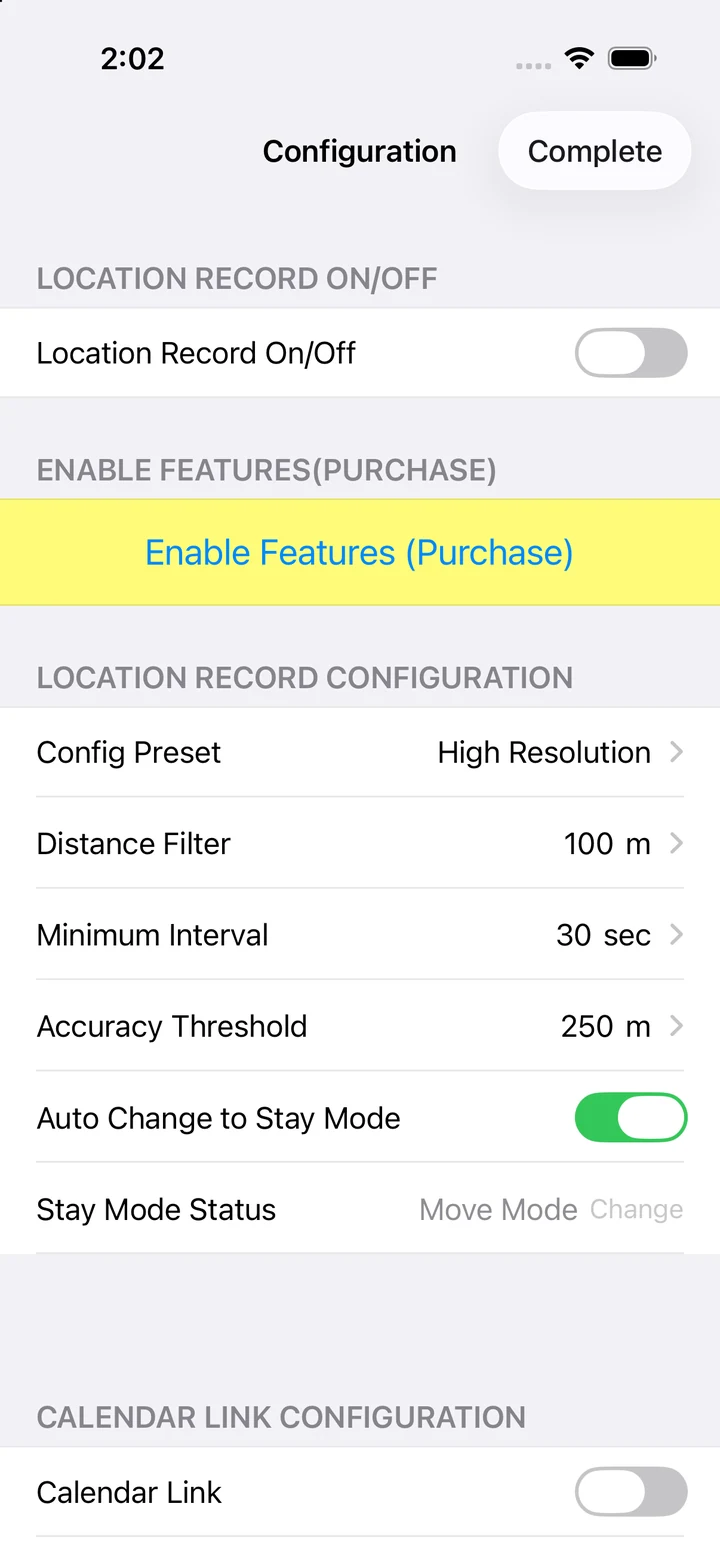
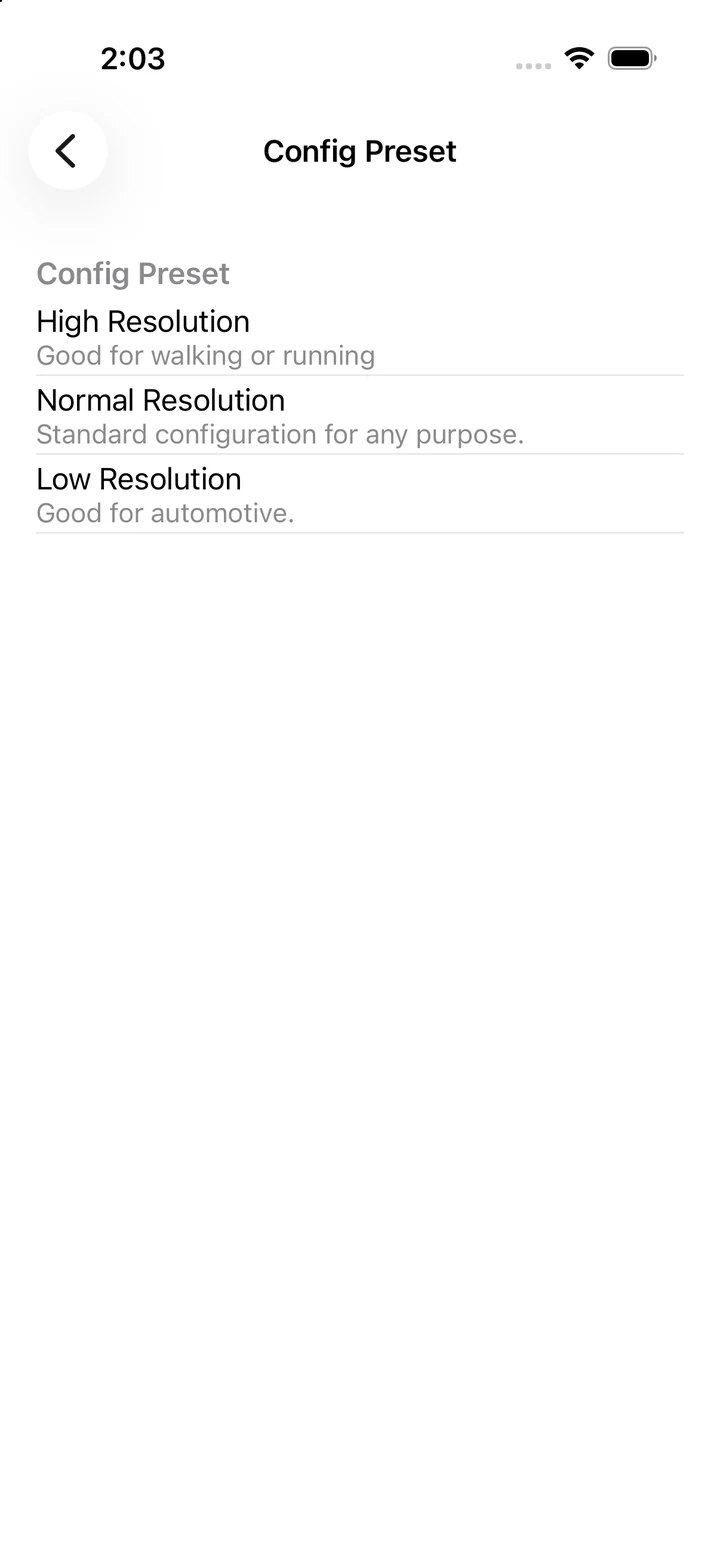
Start with High Resolution for finer movements. Consider Normal or Low Resolution for faster travel. Adjust after checking GPS reception and battery use.
2. Adjust recording conditions
| Setting | Purpose |
|---|---|
| Distance Filter | Sets a distance condition for recording locations. |
| Minimum Interval | Sets the minimum time condition for saving locations. It does not guarantee a GPS reading at that interval. |
| Accuracy Threshold | A limit for excluding locations with large errors. A stricter threshold can reduce the number of saved points. |
| Auto Change to Stay Mode | Switches the location-recording mode automatically based on visits. When off, you can change Stay Mode Status yourself. |
3. Change the map and list display
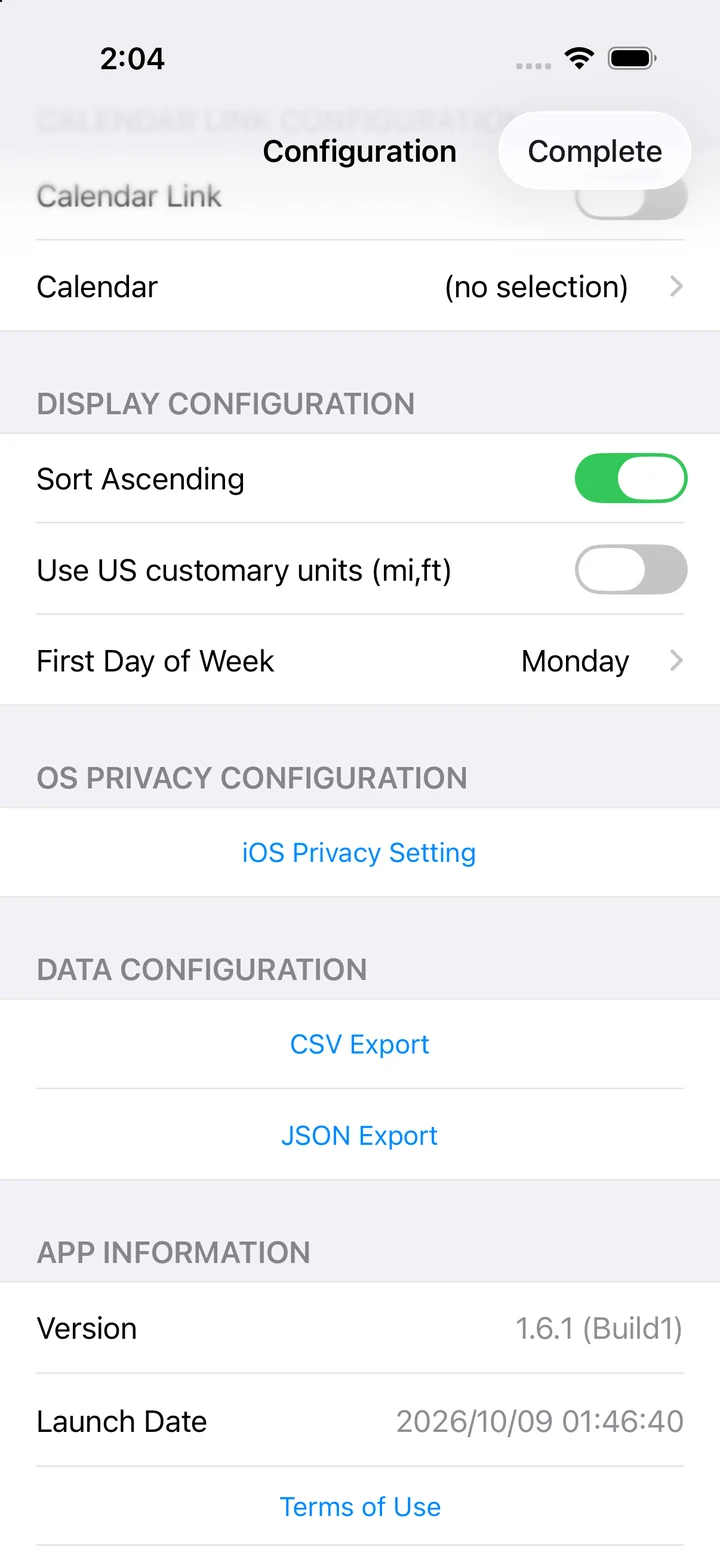
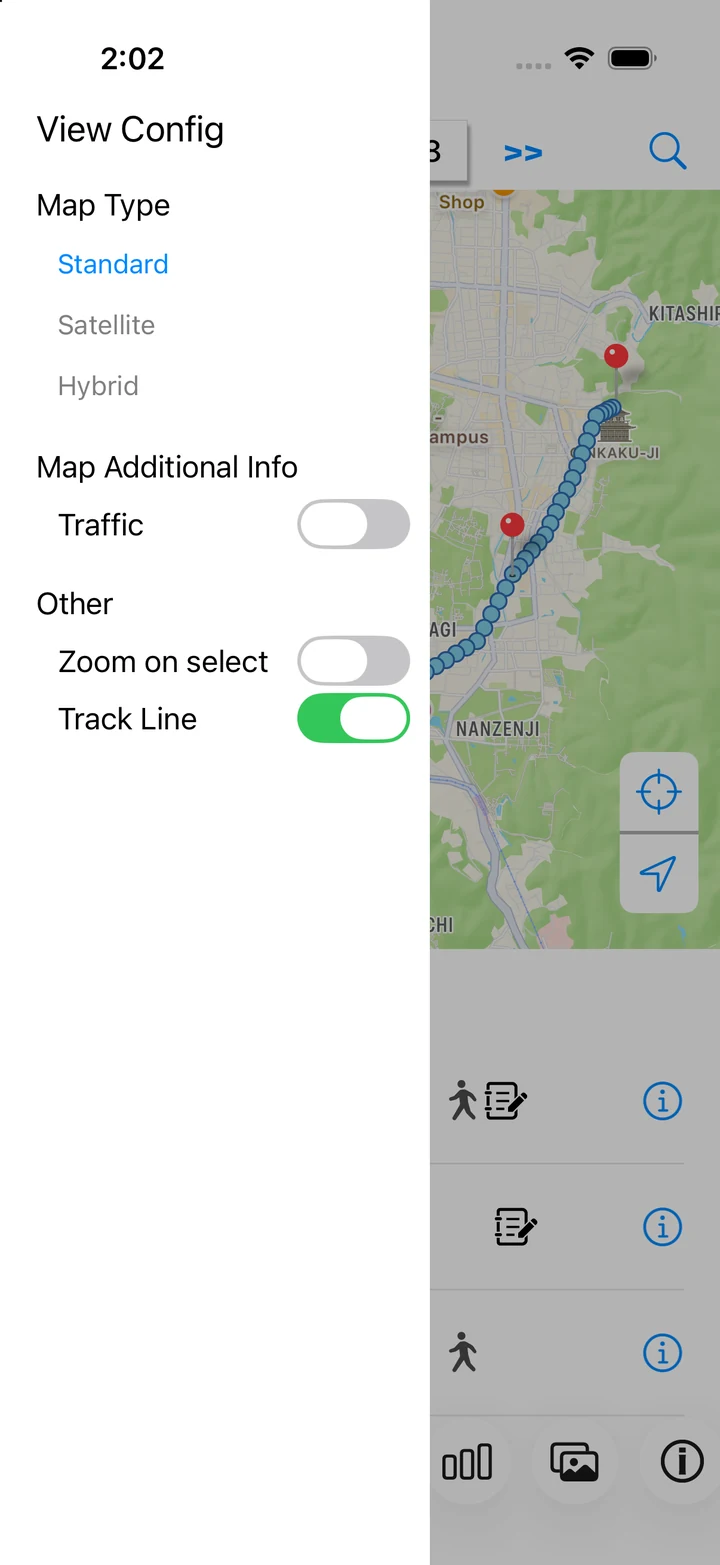
Use the three-line menu at the top left of the daily view to change map type, traffic, current-location display, and route lines. In the Display settings, choose list order, units, and the first day of the week.
4. Check Pro purchase conditions
- In Settings, tap Enable Features (Purchase).
- Check available plans, prices, trial offers, and renewal conditions in the app.
- If you have already purchased, try restoring with the same Apple Account.