
GPS LOGGER FOR iPHONE
Where did you go?
Find your answer
on a daily map.
Everyday journeys. Memorable trips.
LogMyPlace automatically records your movements and visits.
A GPS logger for your iPhone.
Free to start · In-app purchases available
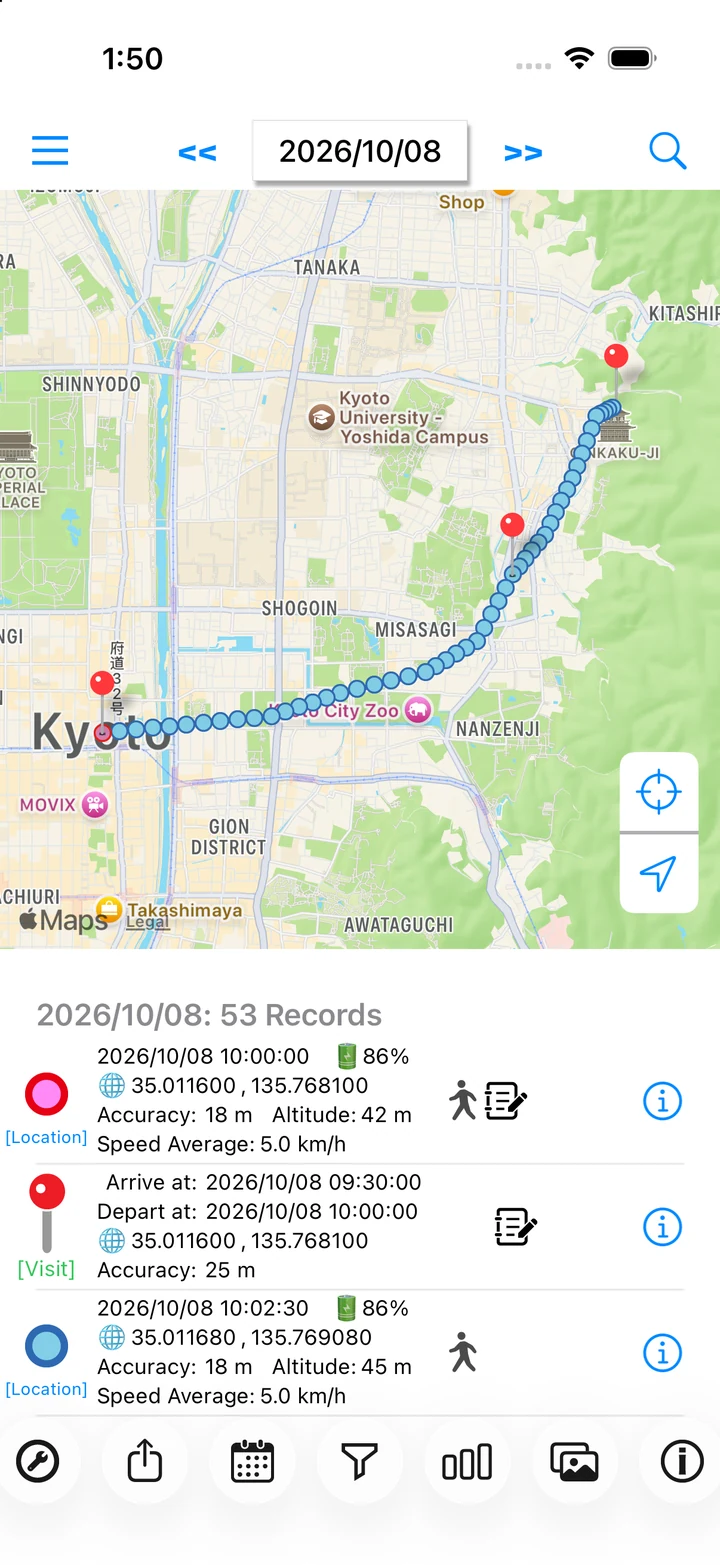
Actual app screen / Sample records
REMEMBER YOUR DAY
A record of your day.
A way back to the memories.
Where you passed through, where you stayed, and when you visited. Keep a history that's easy to return to.
Let recording happen.
With permissions and recording set up, the app records movements and visits in the background.
Read the guideSee your day on a map.
Review locations and visits in a timestamped list. Daily steps and distance sit alongside the day's records.
Read the guideStart with a place.
Search around a point to find days with records nearby. A useful starting point for answering: when was I there?
Read the guideMORE THAN A ROUTE
Remember a little more
about that day.
A cafe break or a shop you stopped at: a short note gives your map a meaning of its own.
Geotagged photos appear on the map for their capture date. Revisit a day through its route, photos, and notes.
Learn about notes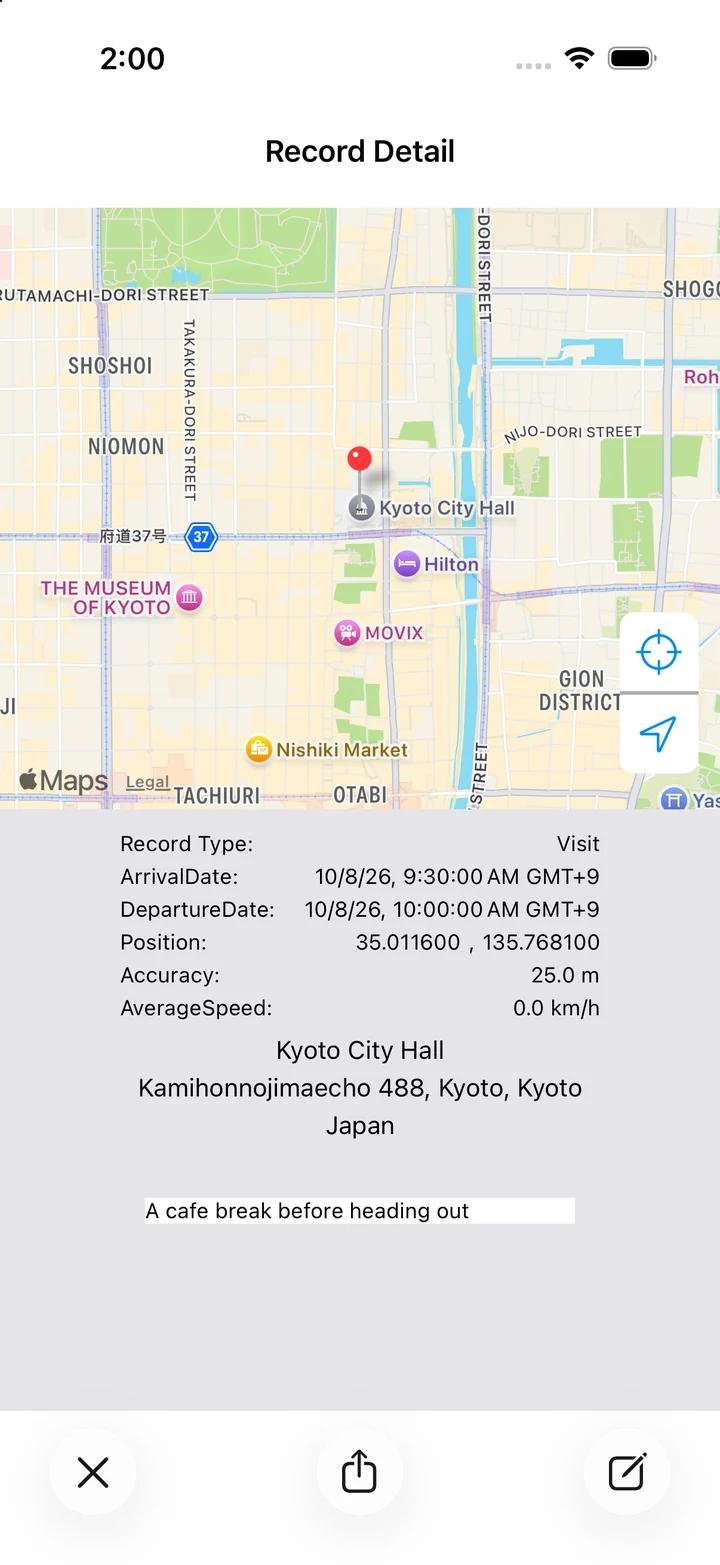
WAYS TO USE
LogMyPlace, in your life.
Everyday memories, trips, or work visits. Find a way to use the app that fits your day.
Everyday life
Find the day you were there, starting with a place.
TRAVELTravel memories
Revisit your route alongside photos and notes.
WORKWork visits
Review visit dates, arrival and departure, and your notes.
WALKINGWalking
See where you walked, plus daily steps and distance.
DRIVINGDriving
Look back on roads and stops once you're home.
GET STARTED
Start with today's journey.
Install the app
Download LogMyPlace from the App Store and open it on your iPhone.
Check permissions and settings
Set location access to Always. Turn recording on and choose a preset for your activity.
Look back at the map
After traveling, open the app to check the day's map and timestamps.
Recording frequency and accuracy vary with settings, permissions, OS behavior, and GPS reception.