
LOGMYPLACE FOR WALKING
Your everyday walks,
remembered on a map.
Where you walked, your daily steps, and how far you traveled. Look back on a day when you took the longer way home.
Free to start · In-app purchases available
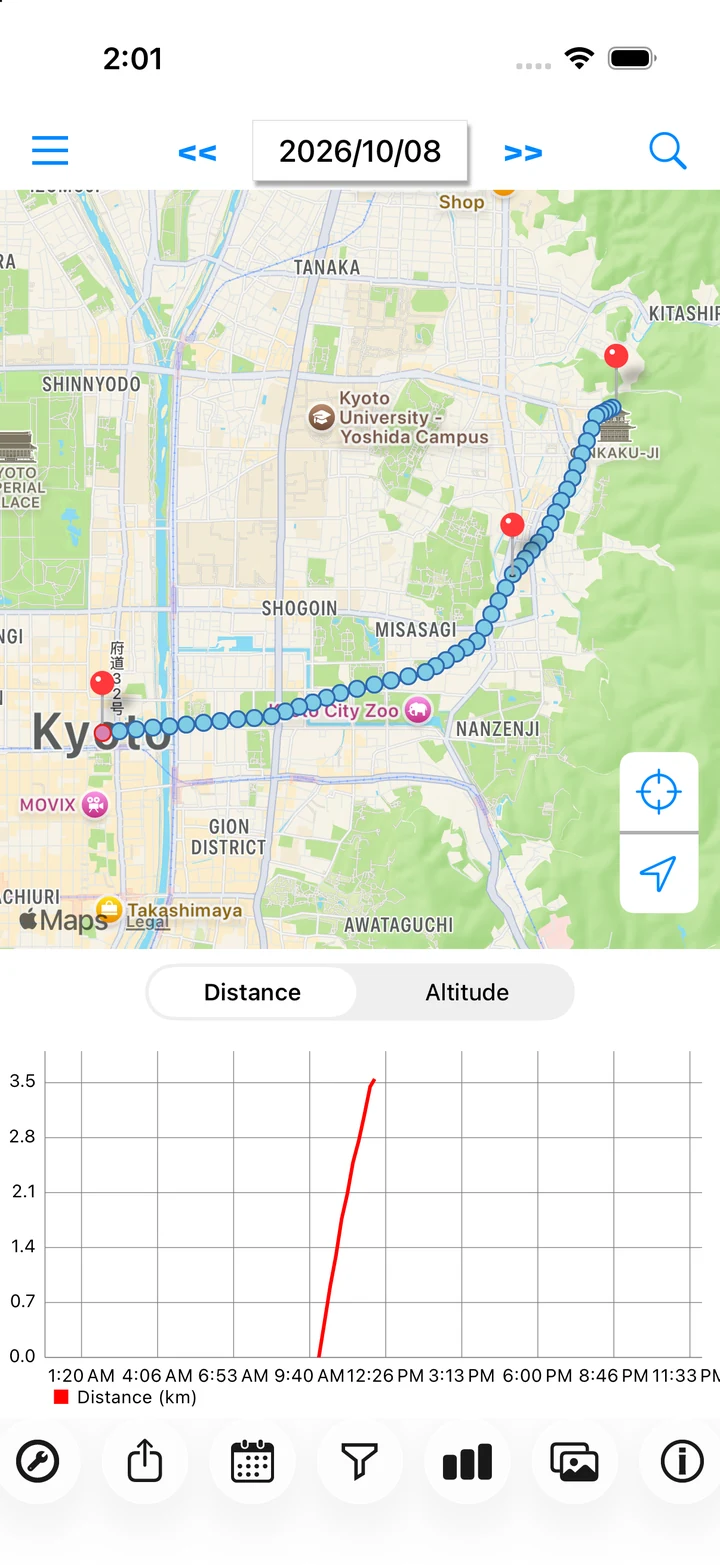
Actual app screen / Sample records
WALKING / LOOK BACK
Remember the paths you walked.
A familiar route or a spontaneous detour: the record helps you remember where you went. Daily steps and distance add another view of your day.
HOW TO USE
Make it part of your day.
Check settings before a walk
Start with the High Resolution preset for walking. Try a short journey to check that location points are recorded.
Read the stepsFollow the path you took
Review your route and stops on the daily map. Add a note about a place that caught your attention.
Read the stepsReview steps and distance
Check daily steps and travel distance, along with distance and altitude graphs.
Read the stepsA day with LogMyPlace
- Turn recording on and check your preset before heading out.
- When you return, open today's map and look at any detours.
- Review your steps and distance, and note a place you want to remember.
LOGMYPLACE PRO
Do more with your history.
With Pro, revisit older walks still stored in the app, or export a day's location points as GPX.
Compare Free and ProThings to keep in mind
Steps require Motion & Fitness access. Distance and altitude depend on location accuracy, so the app is not intended for precise sports measurements or route guidance.
QUESTIONS
Walking questions
Can it measure the steps or pace of a single walk?
Figures are daily totals. The app does not offer a dedicated workout session, lap tracking, or training analysis.
What should I check if recording has gaps?
Check Always location access, the recording switch, and GPS reception. See our recording checklist.