
1. Choose a place to search
- Tap the magnifying-glass (Search) button at the top right of the daily view.
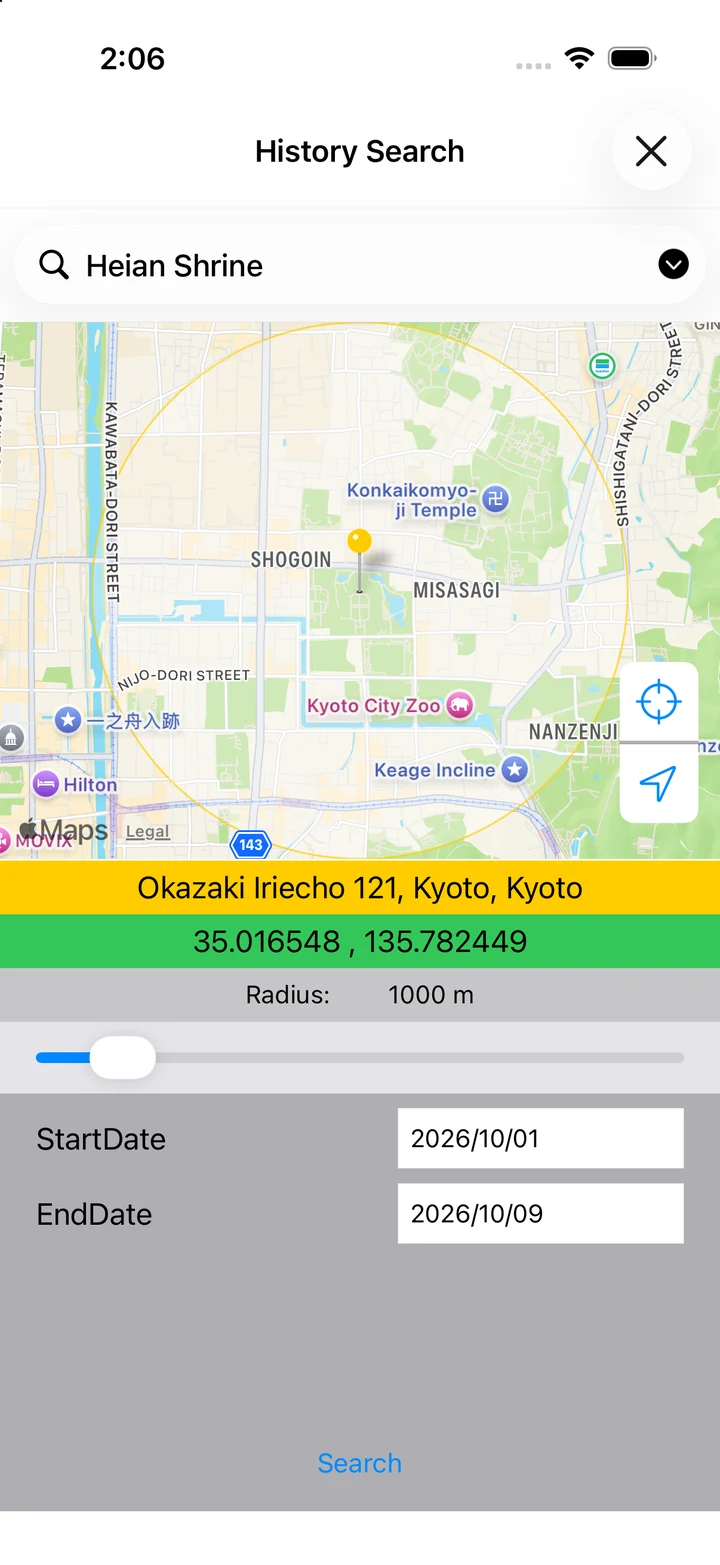
- Enter a place name or address in name or address for search, then search.
- If several places match, select the one you mean. Check its position and coordinates on the map.
- You can also press and hold a point on the map to choose the search location.
2. Set the radius and date range
- Move the radius slider to adjust the search area.
- Use StartDate and EndDate to set the date range.
- Tap Search at the bottom.
3. Open a matching day
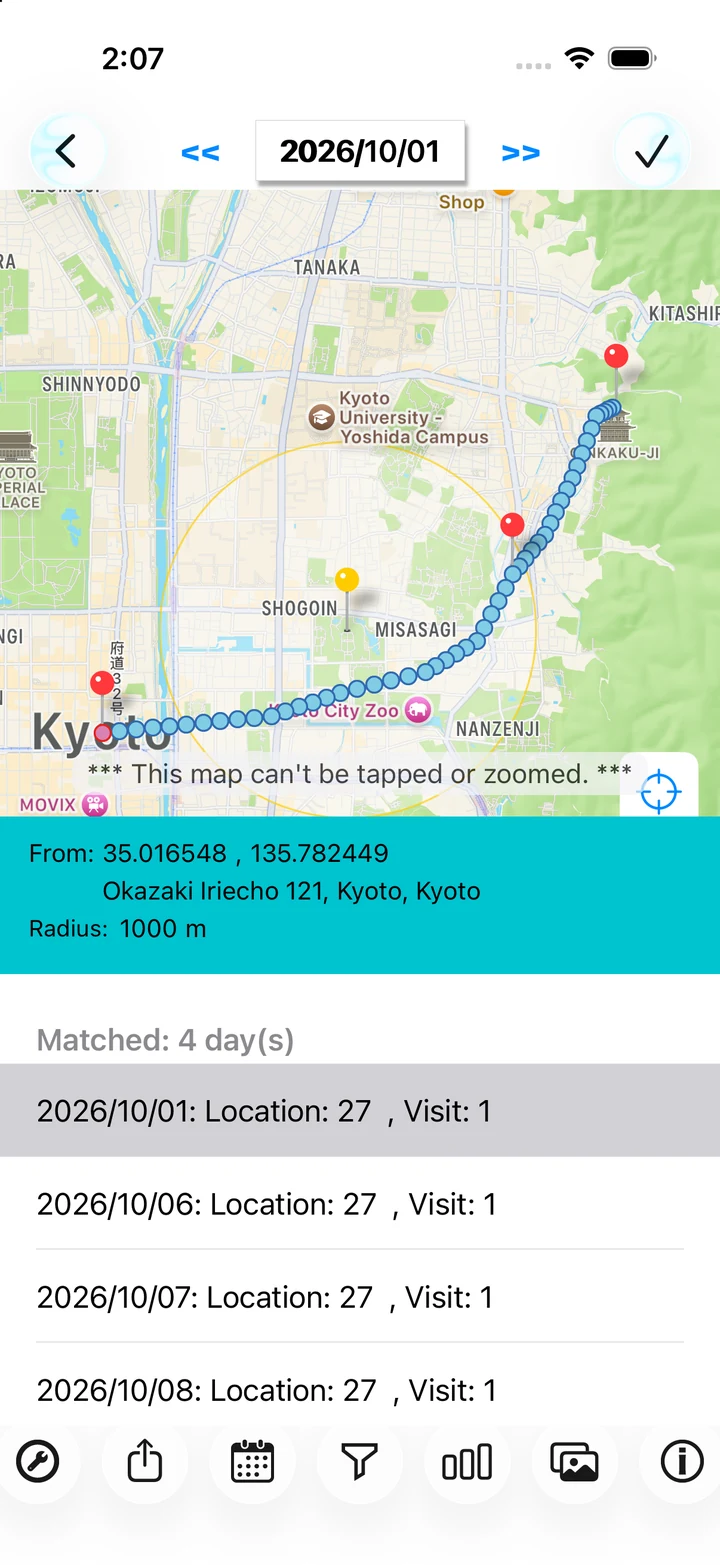
- Days with records matching your conditions appear in the results.
- Select a date to see that day's map and the area around your chosen place.
- Tap the checkmark at the top right to return to that day's daily view and inspect its details.
If you don't find a match
Check the center, radius, and date range. There may be no records for that day, or location errors may put points outside the radius. A point nearby is not proof that you entered a particular building.