
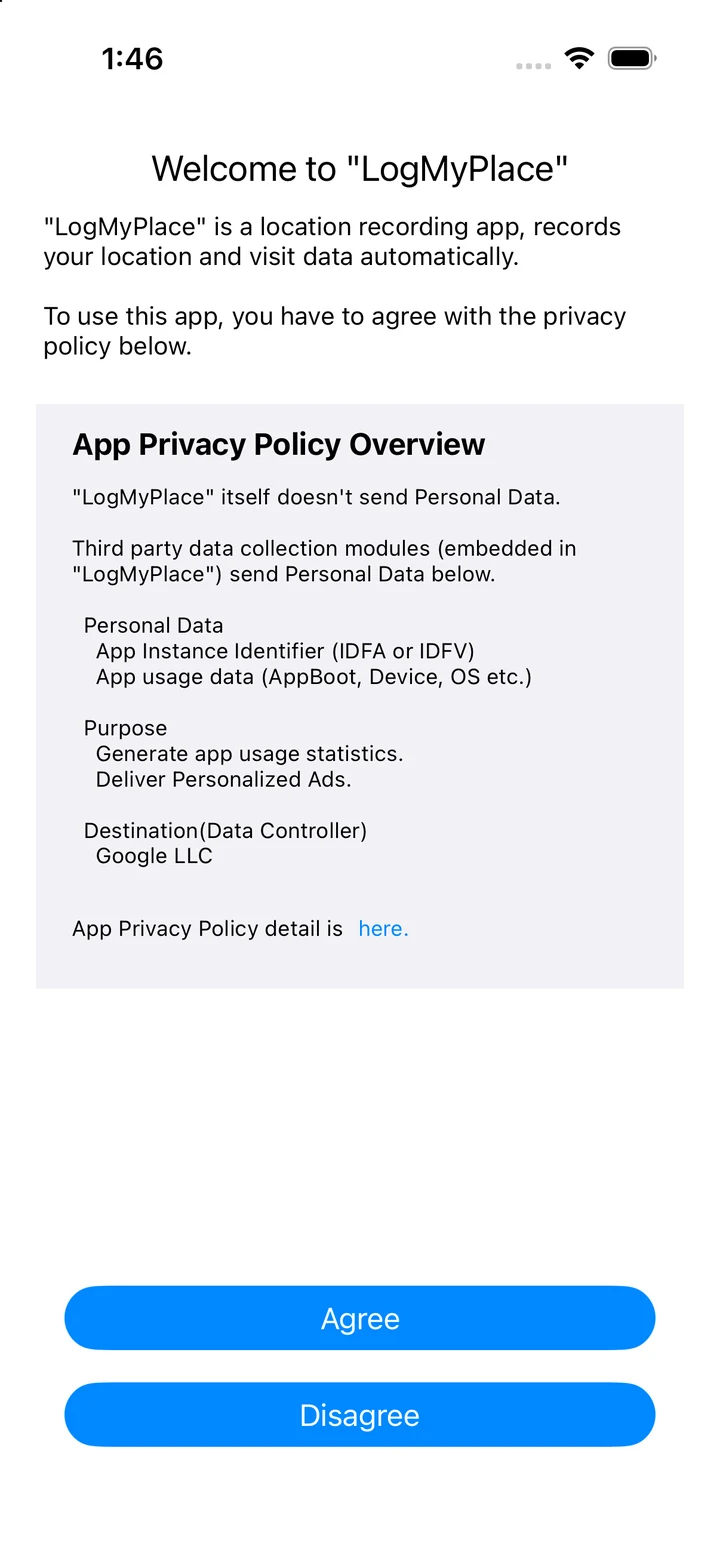
1. Install and read the introduction
- Download LogMyPlace from the App Store and open the app.
- Read the introduction and follow the setup screens. Review the permissions needed for the features you want to use.
2. Check location and motion permissions
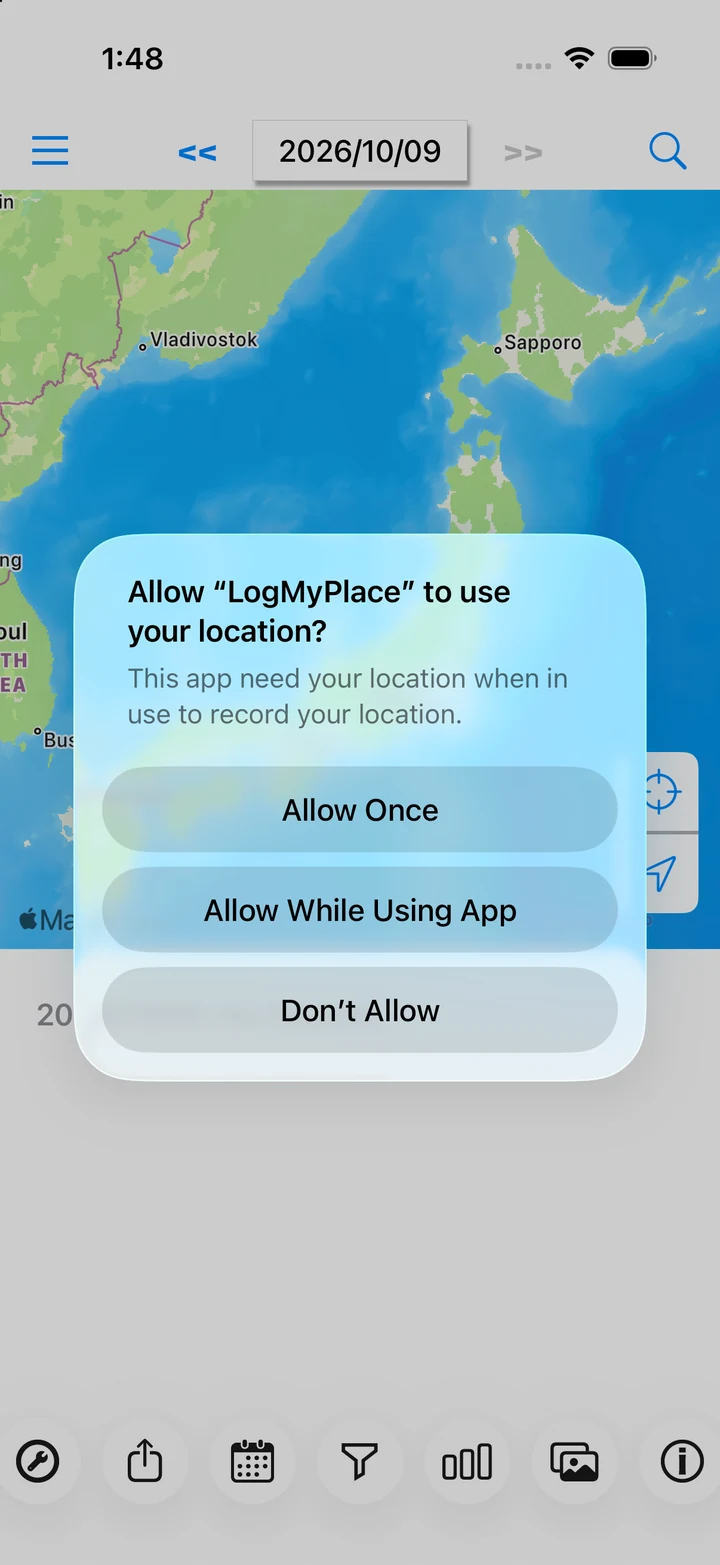
Automatic recording needs permission to access your location while the app is in the background.
- At the first location prompt, choose Allow While Using App.
- Open iPhone Settings → Privacy & Security → Location Services → LogMyPlace. Check Always and Precise Location. Review any additional iOS permission prompts too.
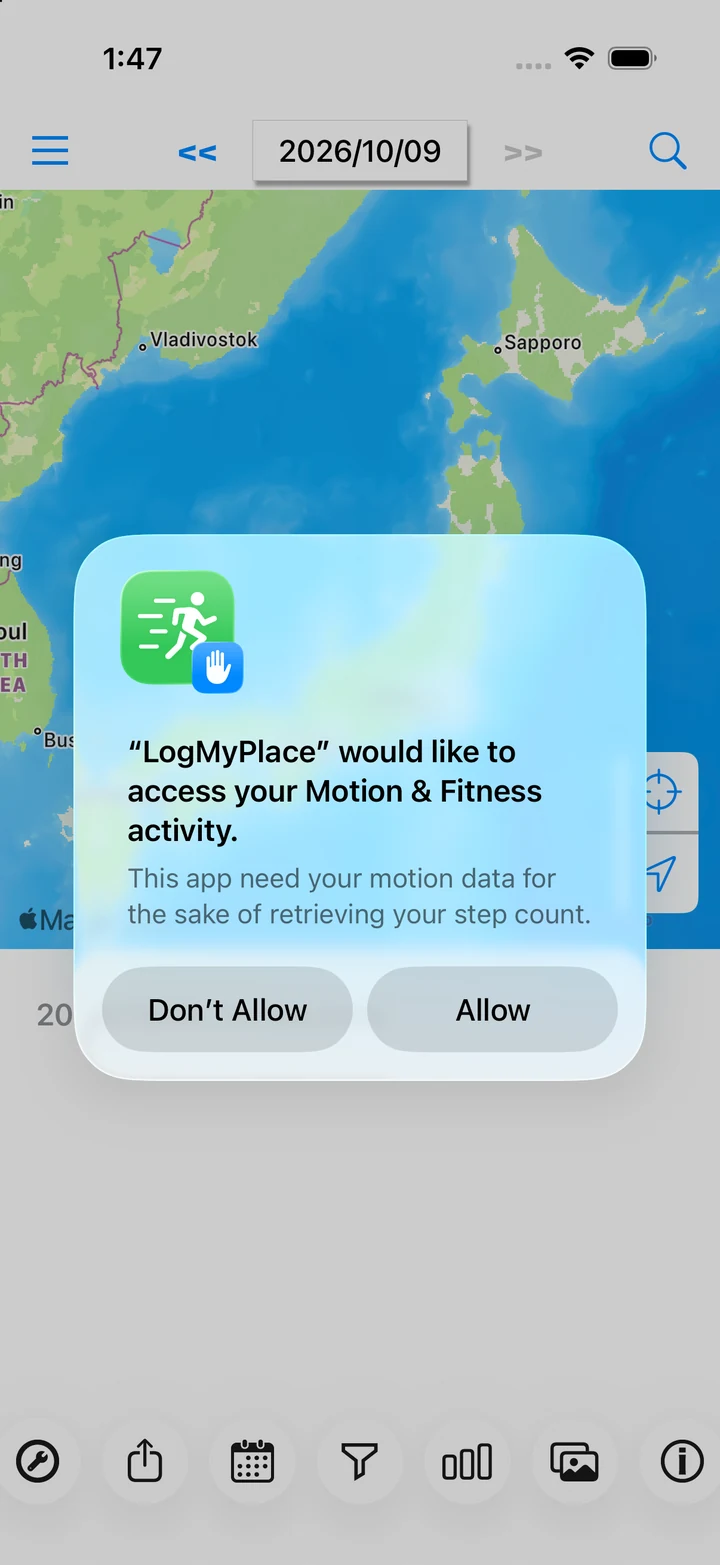
- Allow Motion & Fitness access if you want to use steps and activity types.
3. Turn recording on
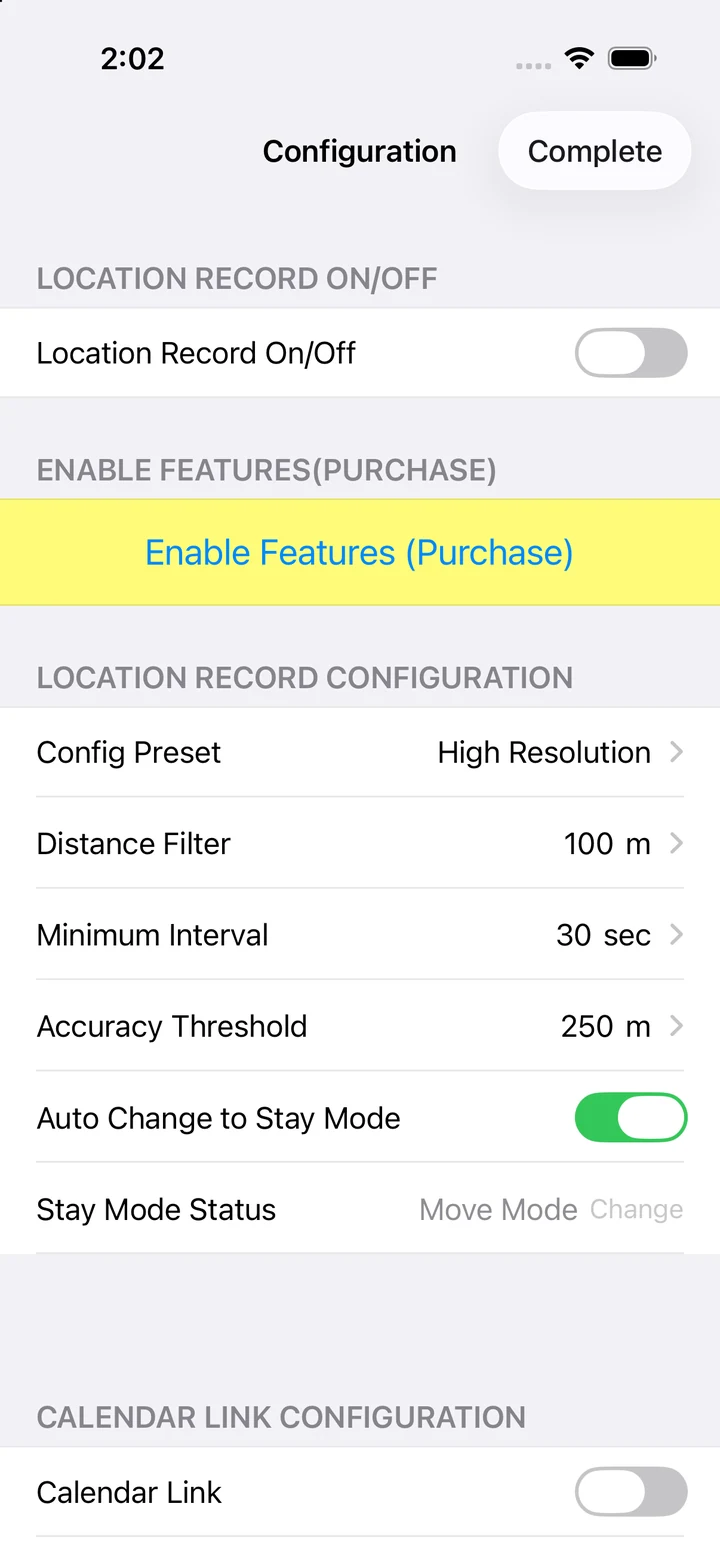
- Tap the tools (Settings) button at the bottom left of the daily view.
- Turn Location Record On/Off on.
- Choose a suitable Config Preset, then tap Done to return to the daily view.
- After a short journey, check that records appear for today's date.
4. Pause recording
Turn Location Record On/Off off in Settings. Journeys made while recording is off cannot be filled in automatically later. Force-quitting can affect background operation, so check permissions and recording settings when you want recording to continue.
If your records are missing