
LOGMYPLACE FOR TRAVEL
Keep the journey.
Add the memories.
The streets you explored, the places you stopped, the photos you took. Keep a map you can return to after the trip.
Free to start · In-app purchases available
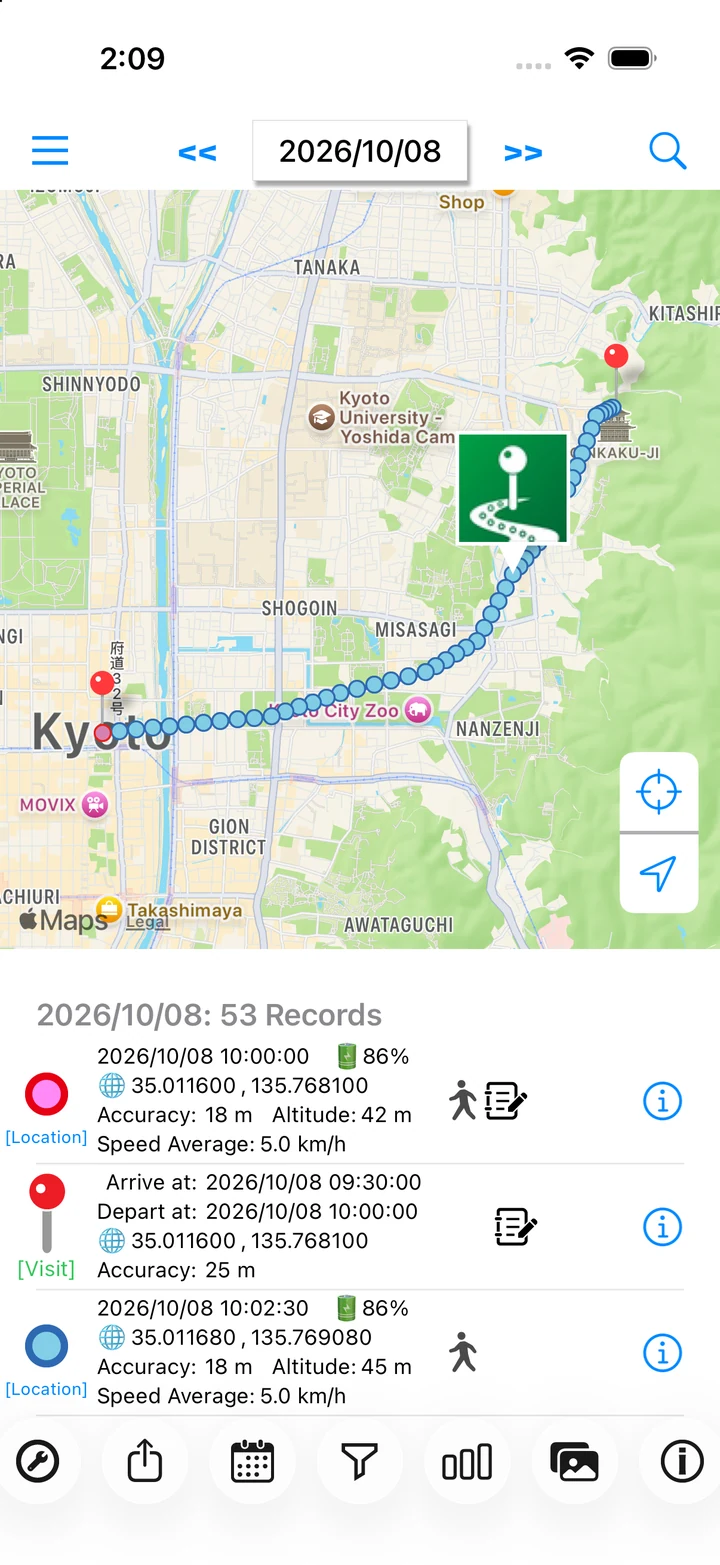
Actual app screen / Sample records and image
TRAVEL / LOOK BACK
Remember more of your trip.
Photos alone do not always tell you how you got there or where you stopped along the way. Bring your route, photos, and notes together on the map.
HOW TO USE
Make it part of your day.
Get ready before the trip
Set location access to Always and turn recording on. Try a short journey before you leave to check that records appear.
Read the stepsSee where you took a photo
Photos with a capture date and location appear on that day's map. Check your camera's location settings too.
Read the stepsLeave a note for next time
Add a note about a favorite shop or a place you want to revisit. Give yourself a reminder for the next trip.
Read the stepsA day with LogMyPlace
- Before departure, check recording and photo location settings.
- During your trip, take photos and add a few words to your visit records.
- Back home, choose the date to revisit your route and visit times.
LOGMYPLACE PRO
Do more with your history.
With Pro, export one day's location points as GPX. You can also revisit older trips that are still stored in the app.
Compare Free and ProThings to keep in mind
Indoor or underground areas with poor GPS reception can leave gaps. The route joins recorded points and may not exactly match the path you took.
QUESTIONS
Travel questions
Will every travel photo appear on the map?
The app uses photos taken on that date with location metadata. Permissions and fetch limits apply, and screenshots are excluded. See the photo display requirements.
What should I check if recording has gaps?
Check Always location access, the recording switch, and GPS reception. See our recording checklist.