
LOGMYPLACE FOR WORK
A day of visits,
easier to recall.
Visit dates, arrival and departure times, and notes about each place. Find the details you need when writing your own daily report.
Free to start · In-app purchases available
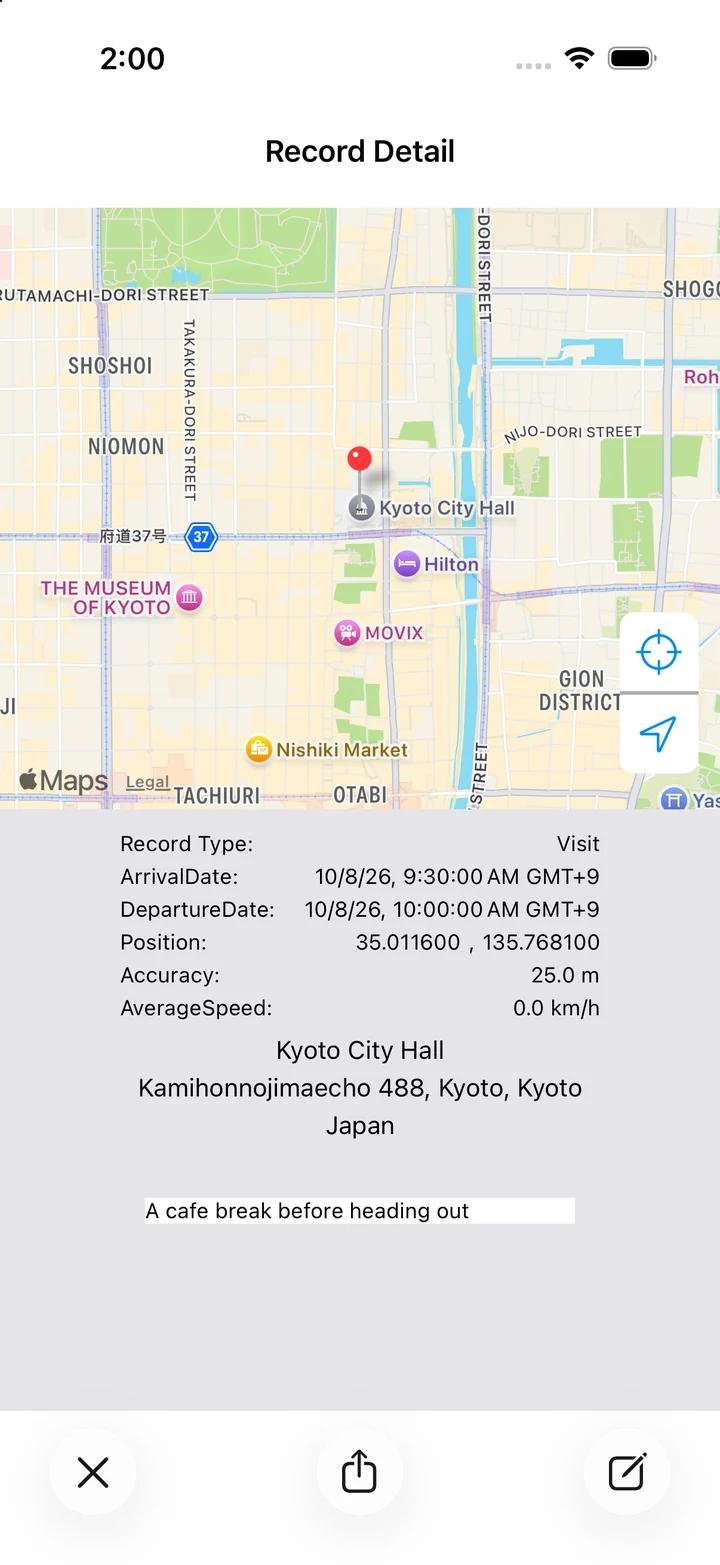
Actual app screen / Sample records
WORK / LOOK BACK
Put your visits in order.
On a busy day out, remembering where you stopped and when can take work. Use the map and timestamps to reconstruct your own sequence of visits.
HOW TO USE
Make it part of your day.
Check arrival and departure
Open a visit's details to review its recorded arrival and departure times.
Read the stepsNote what you did
Add up to 140 characters about a meeting's purpose or something you picked up.
Read the stepsCompare with your calendar
With Pro, add completed visits to a calendar you choose, then compare your plans with your recorded activity.
Read the stepsA day with LogMyPlace
- Check recording settings before leaving for your visits.
- After a visit, open its record and add a short note.
- Use the day's map and times as a reference for your own daily report.
LOGMYPLACE PRO
Do more with your history.
Pro supports calendar links for visits and CSV or JSON export of your full history. Calendar events are created for visits completed after you enable the link, with both arrival and departure recorded.
Compare Free and ProThings to keep in mind
Designed for reviewing your own activity. There is no live team tracking, company dashboard, or visit-order optimization. Take care when sharing files containing customer names or other private notes.
QUESTIONS
Work-visit questions
Can I use the records as proof of attendance or a visit?
GPS and OS estimates can be inaccurate or incomplete. The app does not guarantee proof of attendance or visits; use it as a reference for your own review.
What should I check if recording has gaps?
Check Always location access, the recording switch, and GPS reception. See our recording checklist.